
1. Define your setup before choosing a model
An IEM is an in-ear monitor: an earphone worn in the ear. Before comparing a specification sheet, write down how and where you plan to use it.
- What is the intended use?Everyday listening, desk listening or monitoring with a particular device? Which features do you want to understand before buying?
- What will it connect to?Identify the exact phone, player, computer, interface or other audio source, and check its available headphone output.
- What can you confirm about fit?Which ear-tip sizes and shell shapes have you used comfortably? If you are unsure, ask about the supplied tips and the model’s dimensions.
2. Read the driver configuration
DD means dynamic driver; BA means balanced armature driver. A hybrid configuration combines the two types. The counts in this guide are per earpiece, so “1 DD + 2 BA” describes one side.
J03 and CC10X are hybrid designs. CC-PREMIER 21 uses balanced armature drivers and combines physical and electronic crossover design. Use these construction details as part of your shortlist, alongside your listening preferences and setup.
Driver count is not a sound-quality ranking. A specification alone does not establish how a model will sound to you or whether it will fit your ears and equipment.
3. Compare all seven models
Compare the driver configuration, construction and listed price of each model, then open its product page for details.
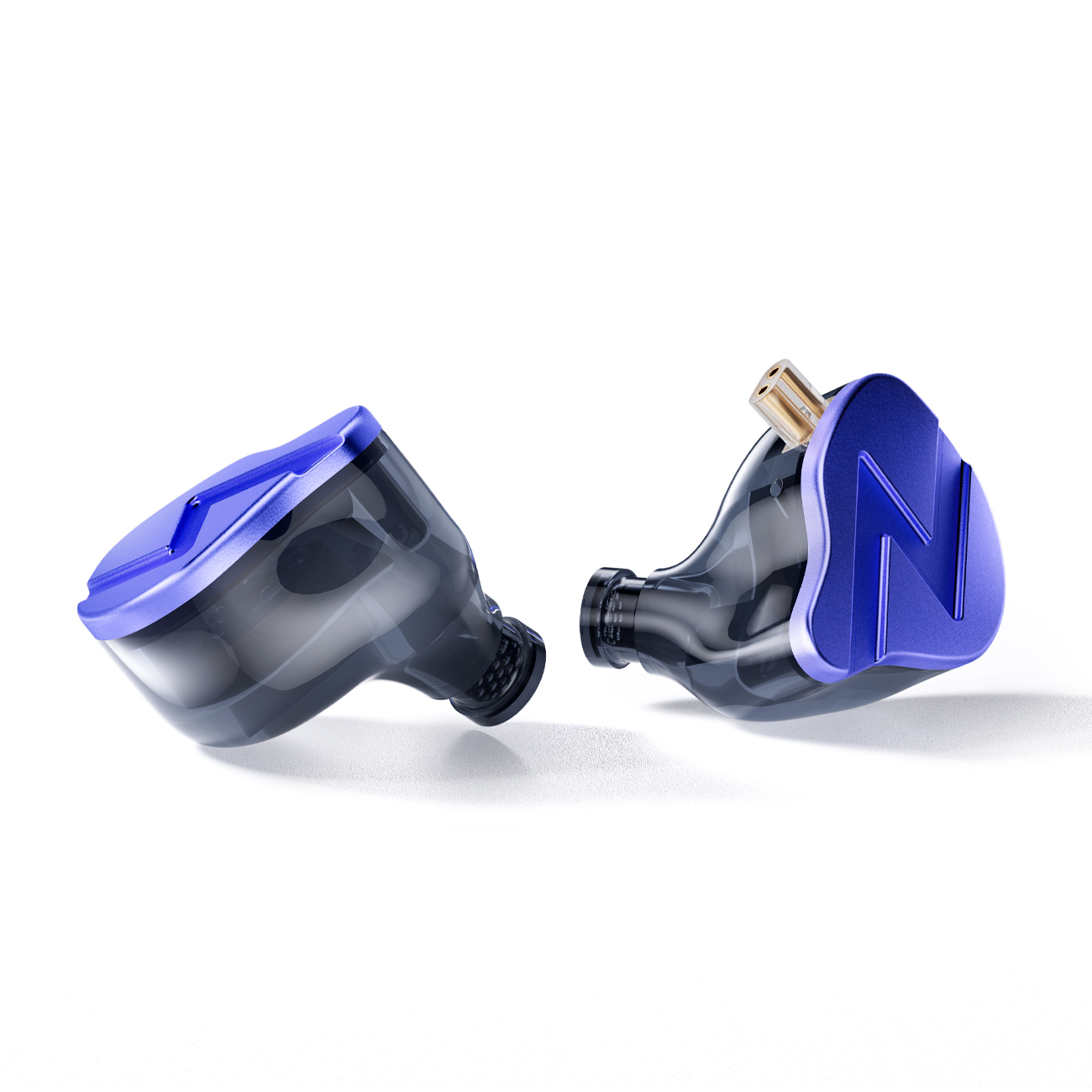
Hybrid DD + BA
J03
3D-printed epoxy resin shell with a matte blue metal faceplate.
Website reference price (USD)US$ 29.90
View product details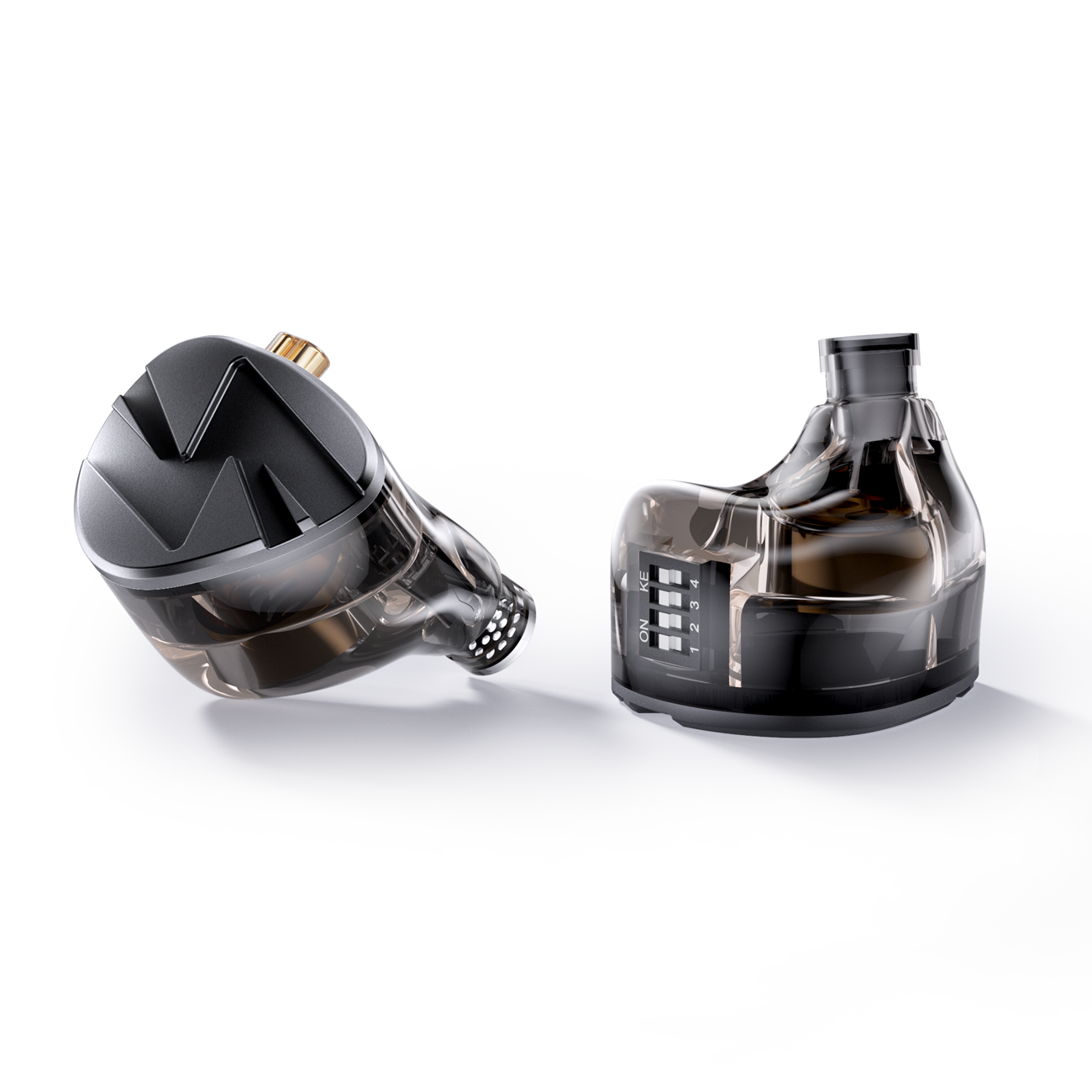
Hybrid DD + BA
CC10X
Four tuning switches offer 16 combinations in a hybrid design.
Website reference price (USD)US$ 48.90
View product details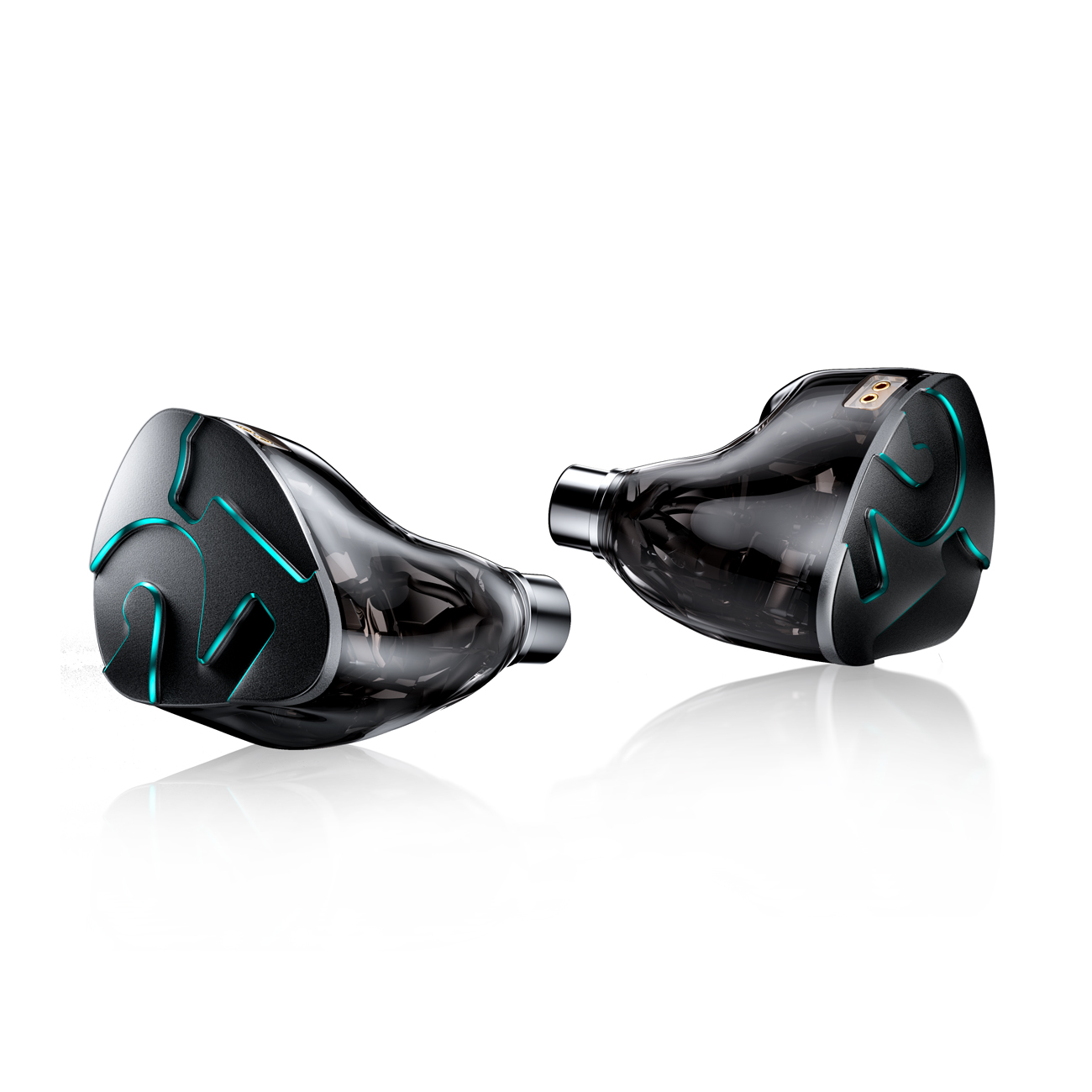
All balanced armature
CC-PREMIER 21
21 BA drivers per side, with physical and electronic crossover design.
Website reference price (USD)US$ 1,299.00
View product details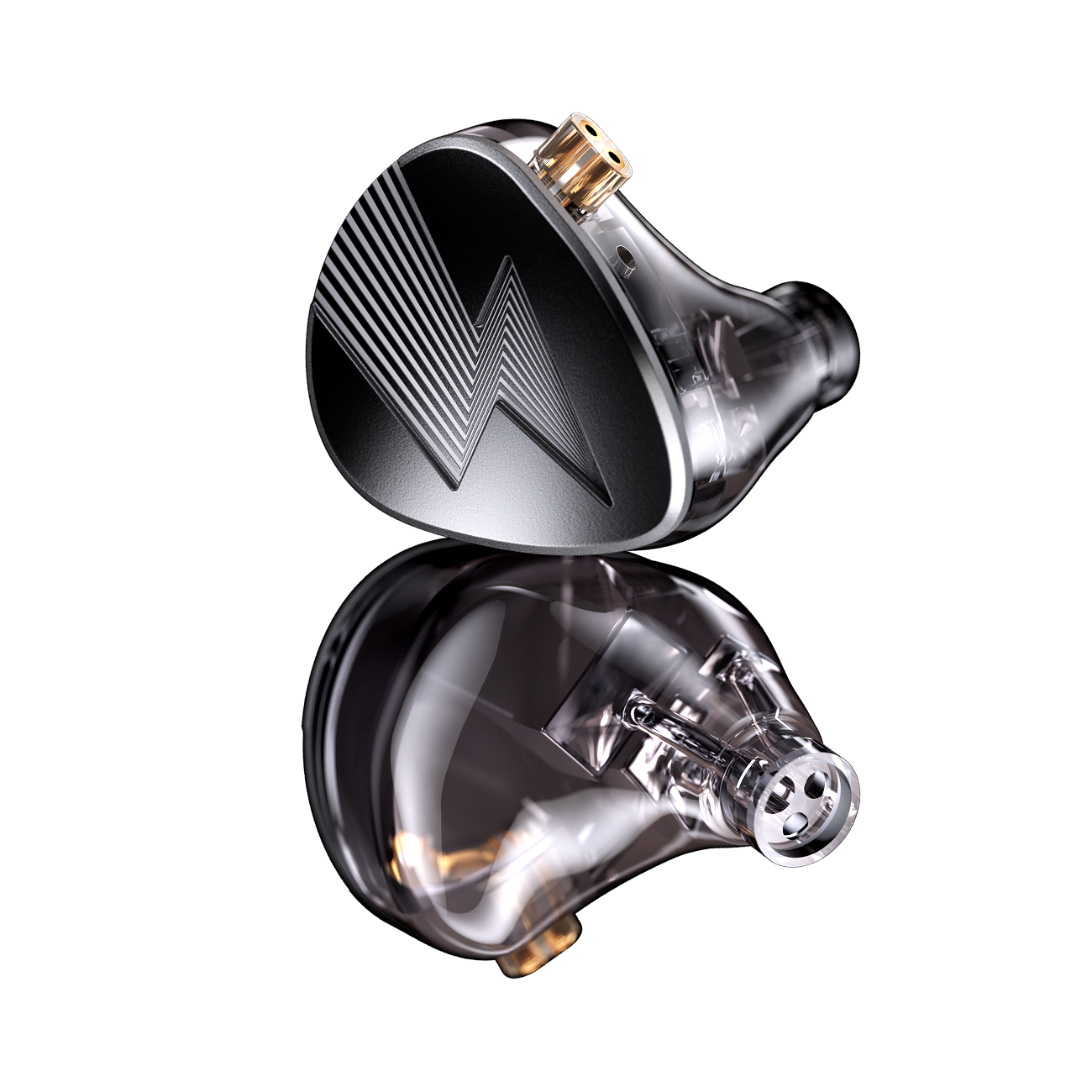
All balanced armature
CC10
Five BA drivers per side in a 3D-printed epoxy resin shell.
Website reference price (USD)US$ 48.90
View product details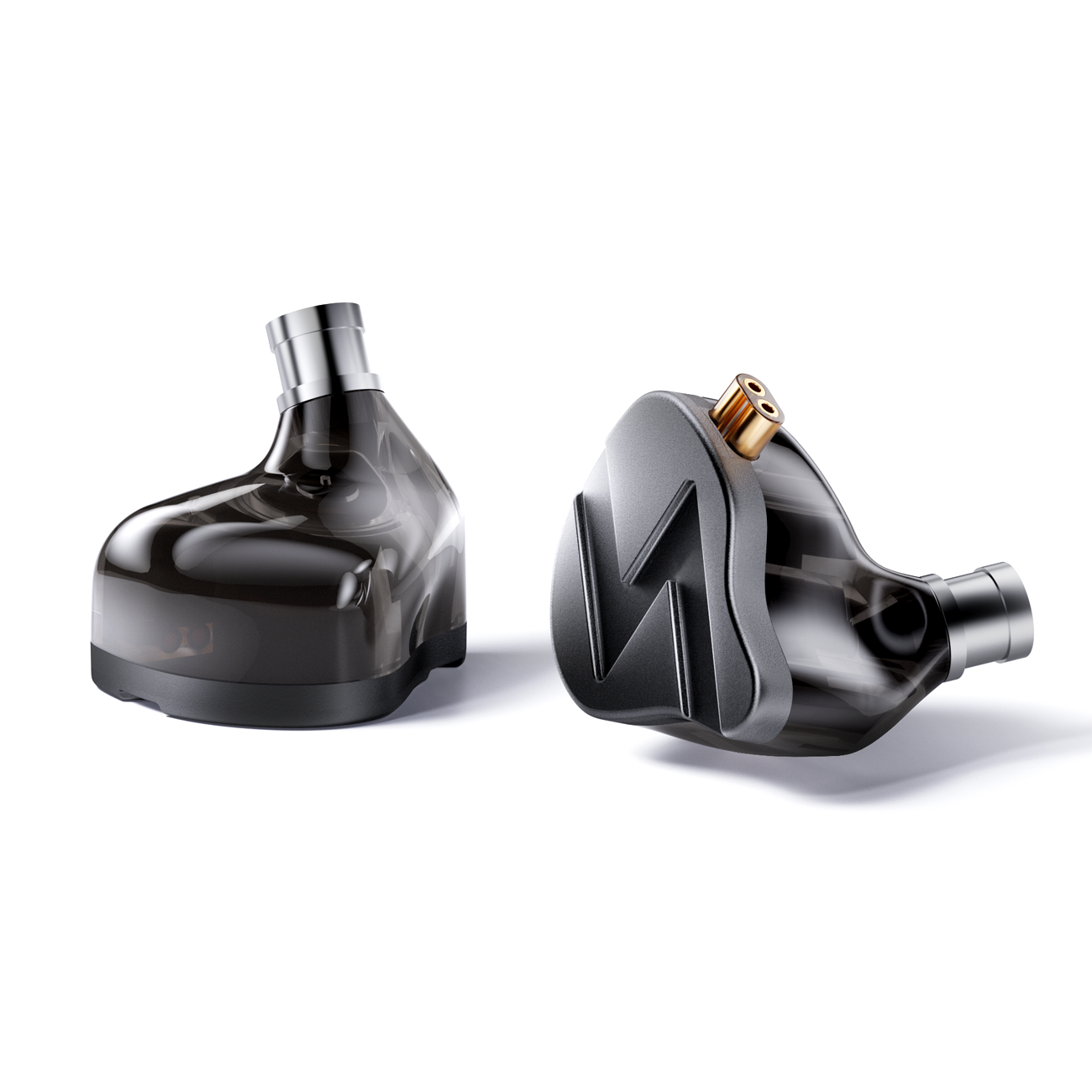
Hybrid DD + BA
CC06
Precision injection-moulded shell with a CNC aluminium faceplate.
Website reference price (USD)US$ 23.90
View product details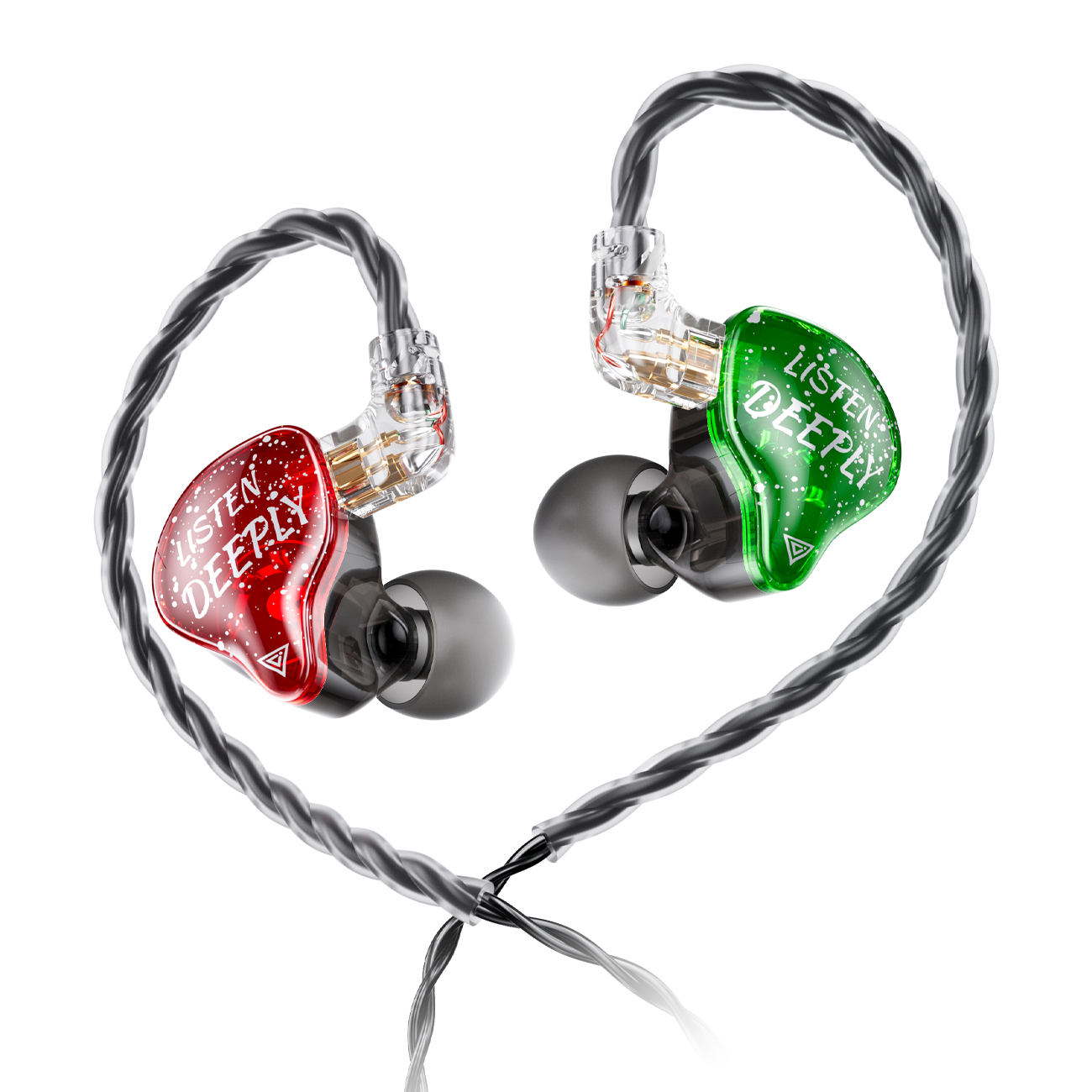
Hybrid DD + BA
CC04
One DD and one BA per side, with a detachable 0.78 mm 2PIN cable.
Website reference price (USD)US$ 19.90
View product details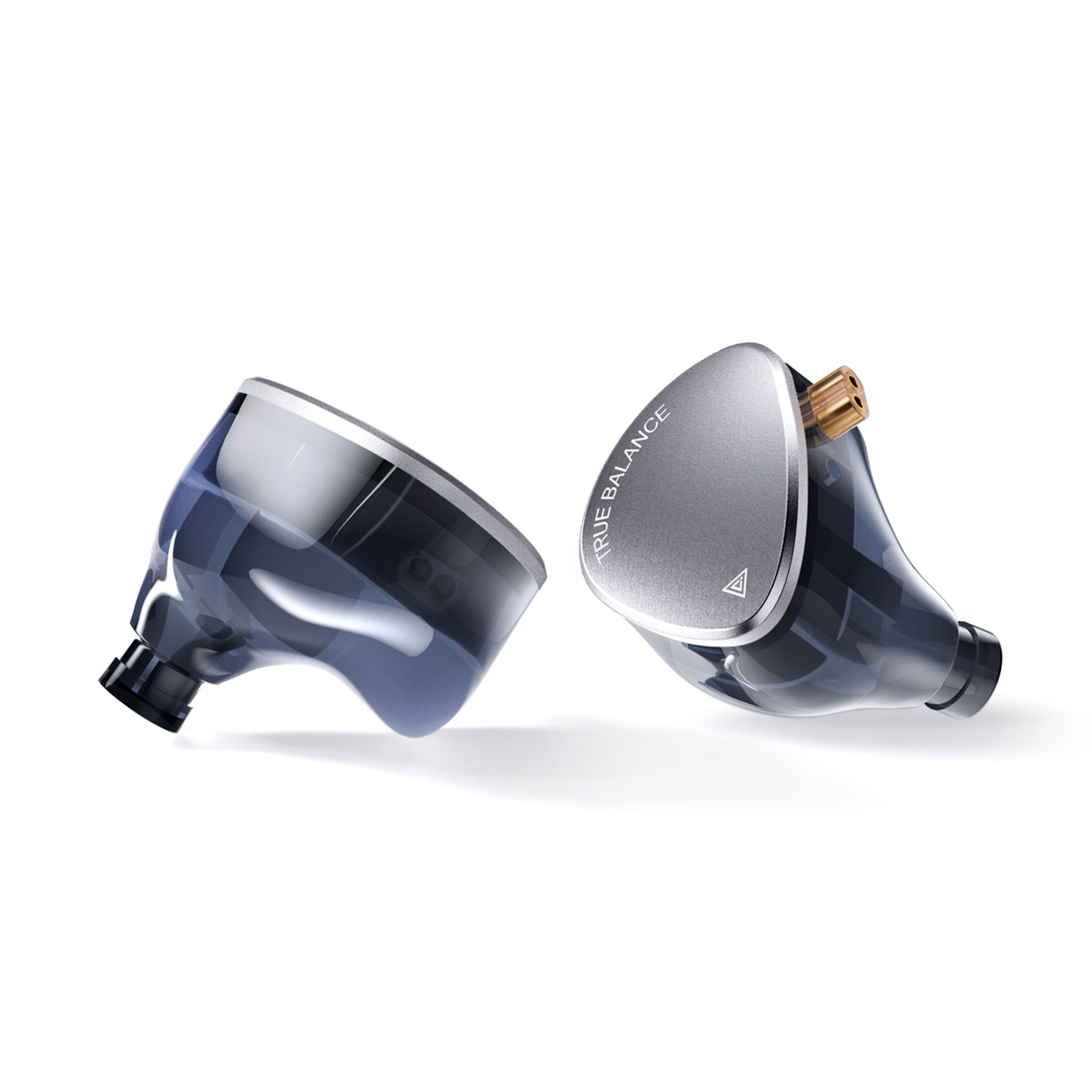
All balanced armature
U03
Three BA drivers per side, with a 3D-printed shell and CNC alloy faceplate.
Website reference price (USD)US$ 39.90
View product detailsSwipe or scroll horizontally to see all columns.
| Model | Drivers per side | Impedance | Website reference price (USD) | Main design |
|---|---|---|---|---|
| J03 | 1 DD + 2 BA | 25 Ω | US$ 29.90 | 3D-printed epoxy resin shell with a matte blue metal faceplate. |
| CC10X | 1 DD + 4 BA | 10 Ω | US$ 48.90 | Four tuning switches offer 16 combinations in a hybrid design. |
| CC-PREMIER 21 | 21 BA | 15 Ω | US$ 1,299.00 | 21 BA drivers per side, with physical and electronic crossover design. |
| CC10 | 5 BA | 13 Ω | US$ 48.90 | Five BA drivers per side in a 3D-printed epoxy resin shell. |
| CC06 | 1 DD + 2 BA | 24 Ω | US$ 23.90 | Precision injection-moulded shell with a CNC aluminium faceplate. |
| CC04 | 1 DD + 1 BA | 42 Ω | US$ 19.90 | One DD and one BA per side, with a detachable 0.78 mm 2PIN cable. |
| U03 | 3 BA | 20 Ω | US$ 39.90 | Three BA drivers per side, with a 3D-printed shell and CNC alloy faceplate. |
Website prices checked on 10 October 2026. Confirm the current price and supplied configuration on the purchase page.
J03 and CC06 share a driver count, but their shell construction and published parameters differ. CC10 and CC10X have the same listed price: CC10 uses five BA drivers, while CC10X combines DD and BA drivers with tuning switches.
4. Decide whether adjustable tuning matters to you
CC10X has four tuning switches with 16 combinations. Its product guide describes switch 1 as a first low-frequency adjustment and switches 1 + 2 as a second step. Switch 3 adjusts the mid/high frequencies, with switches 3 + 4 providing a second step; the guide describes all switches on as a full-frequency increase.
Use the product’s switch instructions to identify a setting, then record the combination you chose. Consider whether you want to compare settings yourself or would prefer to focus on other aspects of your setup. A switch configuration does not guarantee a particular listening result.
Read the CC10X tuning-switch guide →5. Connections & fit
The 3.5 mm plug connects towards the audio source; the 0.78 mm 2PIN connection is at the earpiece. They describe different parts of the connection.
- Does your source provide a headphone output for the supplied plug? If an adapter is needed, confirm that exact adapter and device combination before buying.
- When choosing a replacement cable, check the model’s socket shape, pin arrangement and supplied configuration as well as the stated pin size.
- Check the shell’s dimensions and the included ear-tip options. Can you try a suitable size and confirm a comfortable fit for your intended use?
- Read the impedance value alongside your device’s output information. Impedance alone does not establish compatibility or predict a listening result.
Earphone assembly and wearing instructions
Identify the left and right earpieces, connect the cable and fit the ear tips, then follow the four wearing steps below.
Three steps before wearing
-
 L · Left earR · Right ear
Identify left and right
The cable connector marked “L” is for the left ear; “R” is for the right ear. Place the earpieces with their fronts facing you: the connector on the left indicates the left earpiece, and the connector on the right indicates the right earpiece.
-
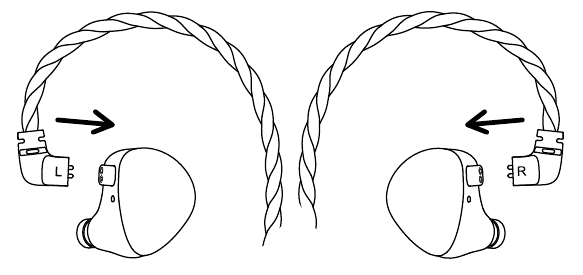
Connect the cable
Match the left and right markings on the earpieces and cable. Bring the cable over the top of each earpiece, align the connector with the socket and insert it.
-
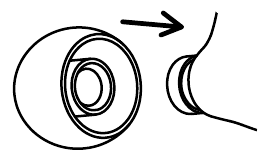
Fit the ear tips
Align an ear tip with the earpiece sound nozzle. Push it on with moderate force until it is fully seated.
Note: Reversing the left and right connections reverses the audio channels and affects the listening experience.
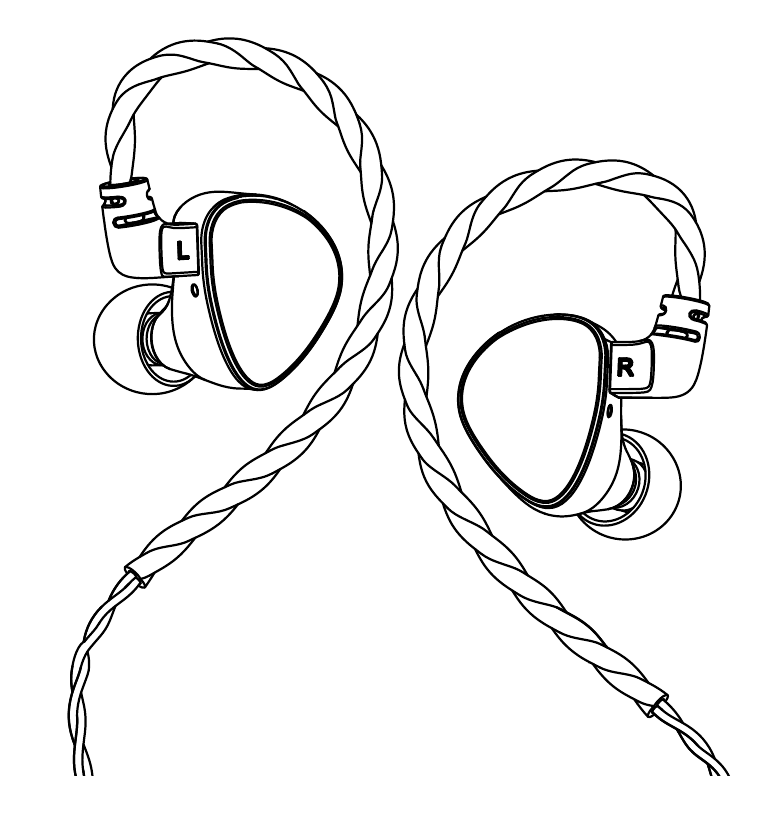
Completed assembly
The illustration shows the earpieces with the cable and ear tips installed.
Four steps to adjust the fit
-
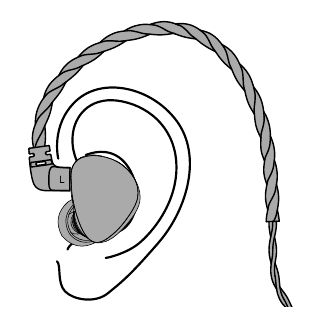
Insert the earpiece
Insert the earpiece straight into your ear. Rotate it slightly while inserting, then press gently so it fits snugly against your ear.
-
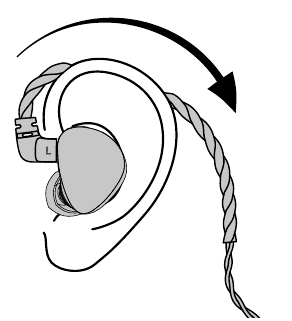
Position the ear hook
Secure the shaped section of the cable behind your ear.
-
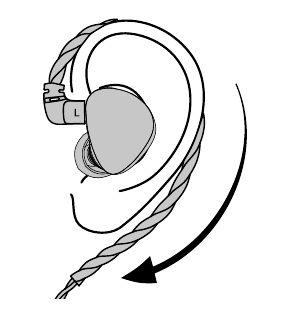
Adjust the cable
Adjust the shaped section to hold the earphone cable in place.
-
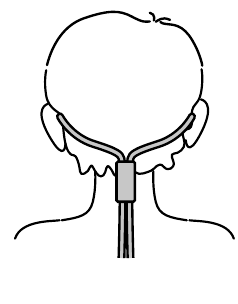
Route behind your back
You can route the earphone cable behind your back.
Text and illustrations adapted from the CLE CLO earphone wearing instructions.
6. Check the complete specification table
Driver counts are per earpiece. Sensitivity and frequency range are the brand’s published values; the connector columns distinguish the audio-source plug from the earpiece socket.
Swipe or scroll horizontally to see all columns.
| Model | Drivers per side | Impedance | SensitivitydB/mW @ 1 kHz | Frequency rangeHz | Source plug | Earpiece connection |
|---|---|---|---|---|---|---|
| J03 | 1 DD + 2 BA | 25 Ω | 107 | 20–20,000 | 3.5 mm | 0.78 mm 2PIN |
| CC10X | 1 DD + 4 BA | 10 Ω | 104 | 20–20,000 | 3.5 mm | 0.78 mm 2PIN |
| CC-PREMIER 21 | 21 BA | 15 Ω | 126 | 5–40,000 | 3.5 mm | 0.78 mm 2PIN |
| CC10 | 5 BA | 13 Ω | 108 | 20–20,000 | 3.5 mm | 0.78 mm 2PIN |
| CC06 | 1 DD + 2 BA | 24 Ω | 106 | 20–20,000 | 3.5 mm | 0.78 mm 2PIN |
| CC04 | 1 DD + 1 BA | 42 Ω | 110 | 20–20,000 | 3.5 mm | 0.78 mm 2PIN |
| U03 | 3 BA | 20 Ω | 112 | 20–20,000 | 3.5 mm | 0.78 mm 2PIN |
These are published specifications, not independent measurements. Frequency range alone is not a response curve; impedance and sensitivity alone do not guarantee compatibility. Confirm the actual cable and accessories before ordering.
Common questions
Do more drivers mean better sound?
Driver counts describe a design, not a quality score. Compare the published configuration and features, then confirm your preferences and setup rather than ranking models by count alone.
Are the listed counts for the whole pair?
No. Every configuration in this guide is per side. J03 has one dynamic driver and two balanced armature drivers in each earpiece.
Does a 3.5 mm plug work with every phone?
Confirm the exact phone’s output and the supplied cable configuration. A device without the matching headphone output may need an appropriate adapter; the plug size alone is not a compatibility guarantee.
Which model will fit me best?
Specifications cannot determine your individual fit. Check shell dimensions, ear-tip options and your own experience, and ask for further product information when needed.
Where can I see the products up close?
Visit the linked product pages for photographs and specifications, or explore official product content on CLE CLO Audio on YouTube.
Need to confirm your setup?
Send the model you are considering, your audio-source model and the connection you plan to use. Ask about the exact supplied configuration before making a choice.
Product sources
Specifications, website prices and design descriptions reviewed on 10 October 2026 against the seven official product pages below. This original guide is based on brand information, not an independent laboratory or listening review.